
Login, registration and comments
Protect WordPress login, user registration, password reset and comments directly from the plugin settings.
TrueSift protects logins, registrations, comments, forms and checkouts from bots, spam and automated abuse — without classic image puzzles. The generated proof is verified server-side before WordPress executes the protected action.
You decide which areas TrueSift should protect.
TrueSift is activated only for the actions you select. Existing forms and workflows remain unchanged while gaining an additional server-secured layer of protection against bots and spam.
Protect WordPress login, user registration, password reset and comments directly from the plugin settings.
Enable bot protection for customer login, customer registration and both classic and block-based WooCommerce checkouts.
Supported form plugins can be selectively protected from spam and automated submissions.
Checkbox, Banner, Inline or Badge: choose the presentation that best fits each page and protected action.
The Secret Key is never sent to the browser. A protected action is allowed only after a valid server-side proof verification.
The optional debug mode records status, timing and integration decisions without logging credentials or complete tokens.
The WordPress interface clearly separates connection, integrations and tools. Each protection area can be configured and tested independently.
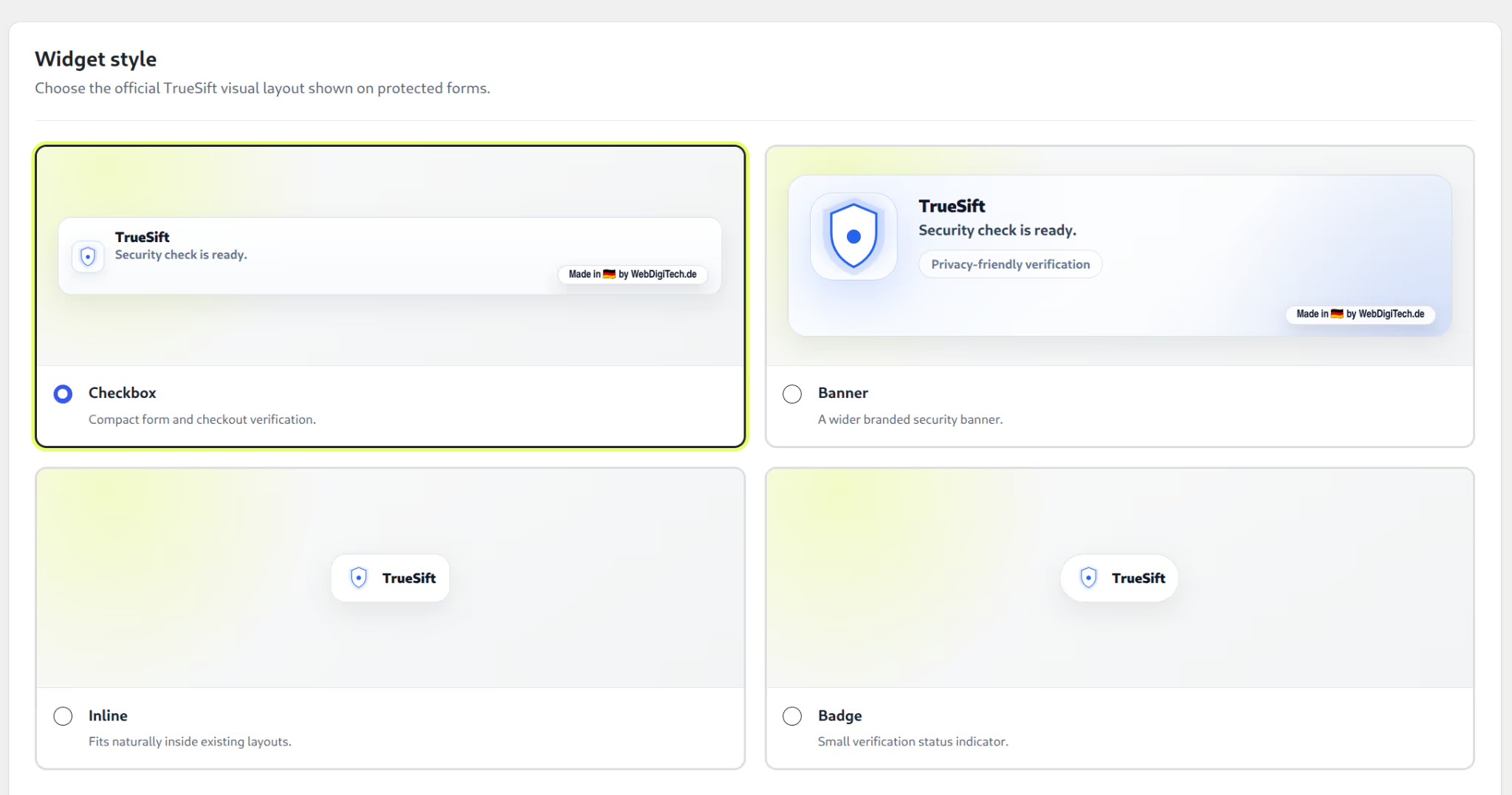
Choose Checkbox, Banner, Inline or Badge to suit the form, login or checkout.
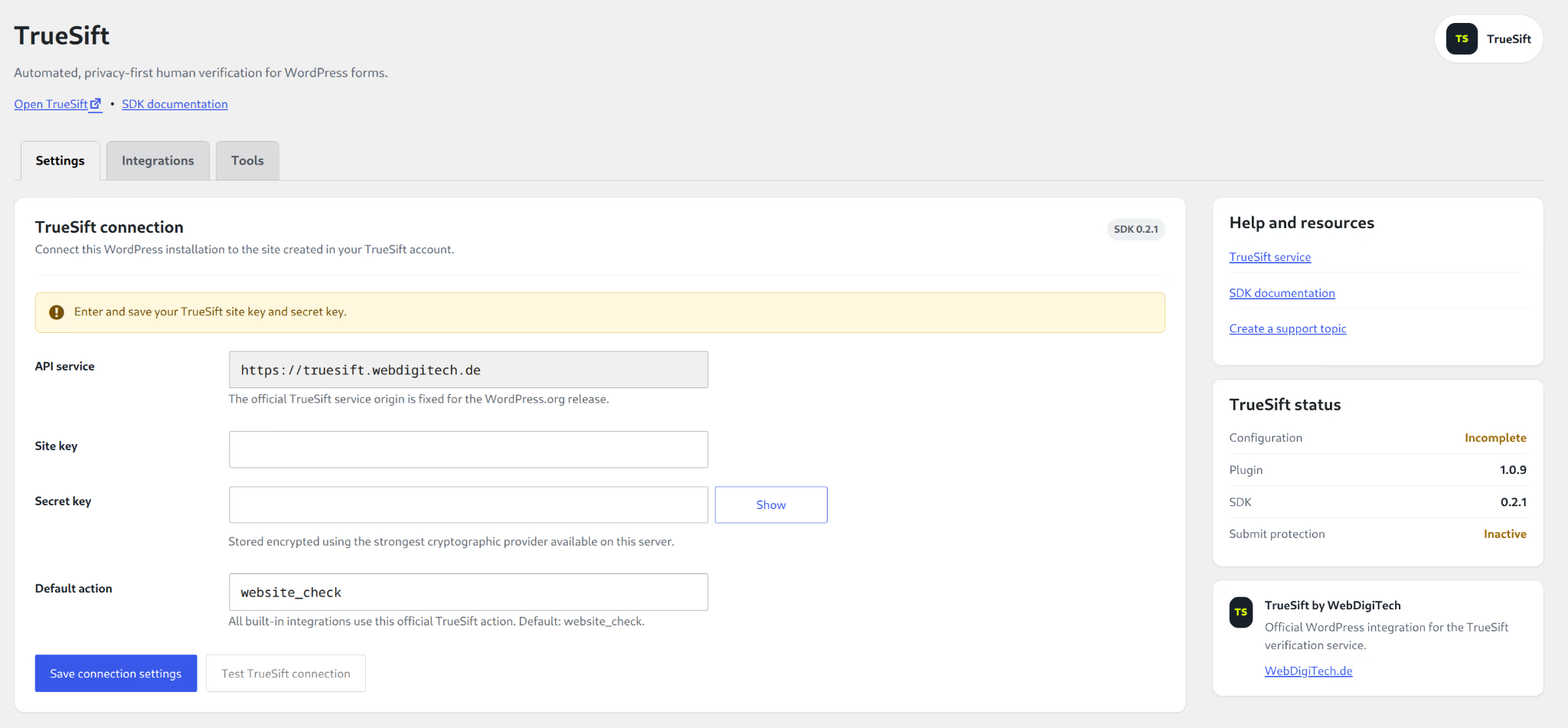
Site Key, encrypted Secret Key, default action and connection test are managed centrally.
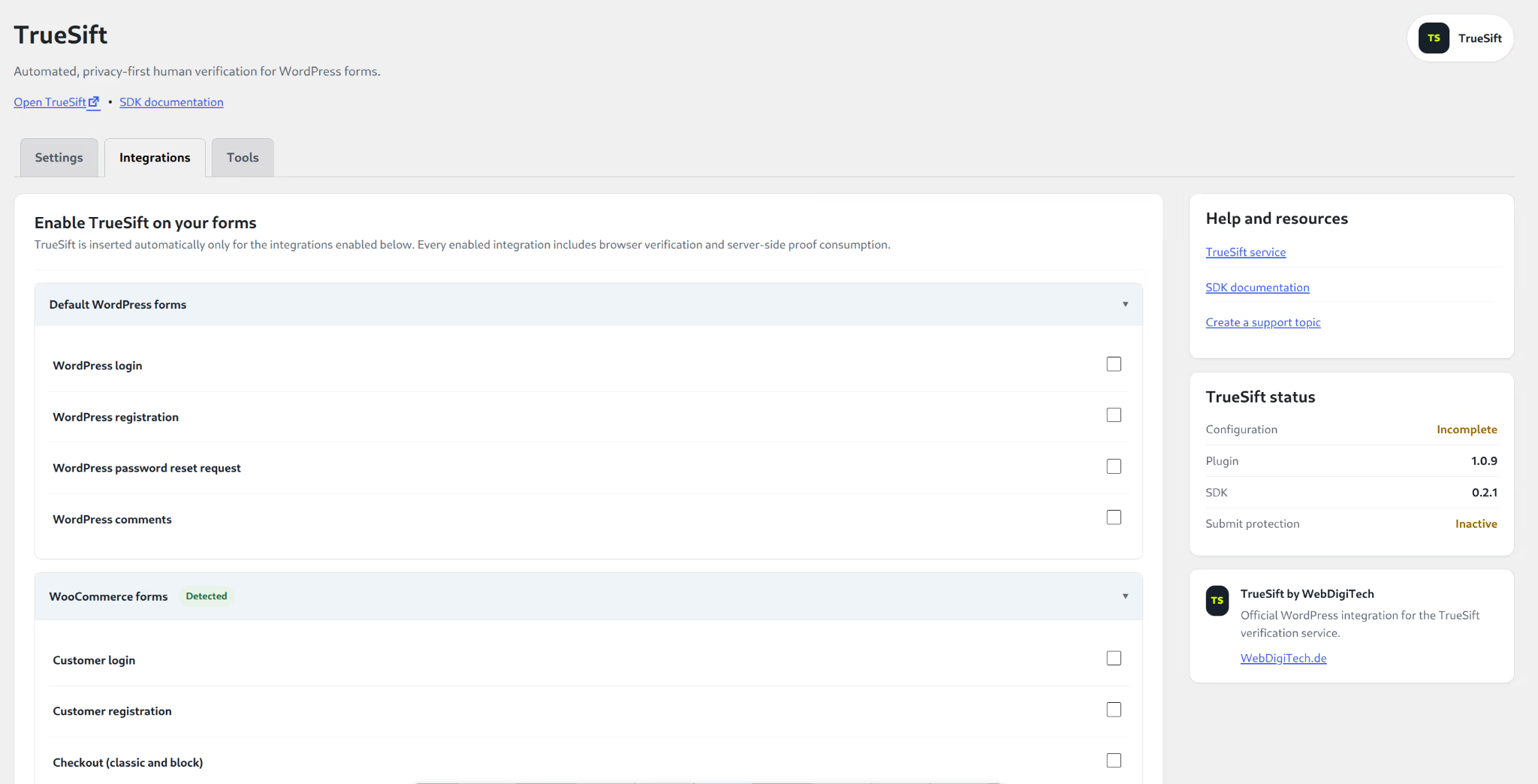
WordPress, form and WooCommerce actions are protected individually instead of loading TrueSift indiscriminately on every page.
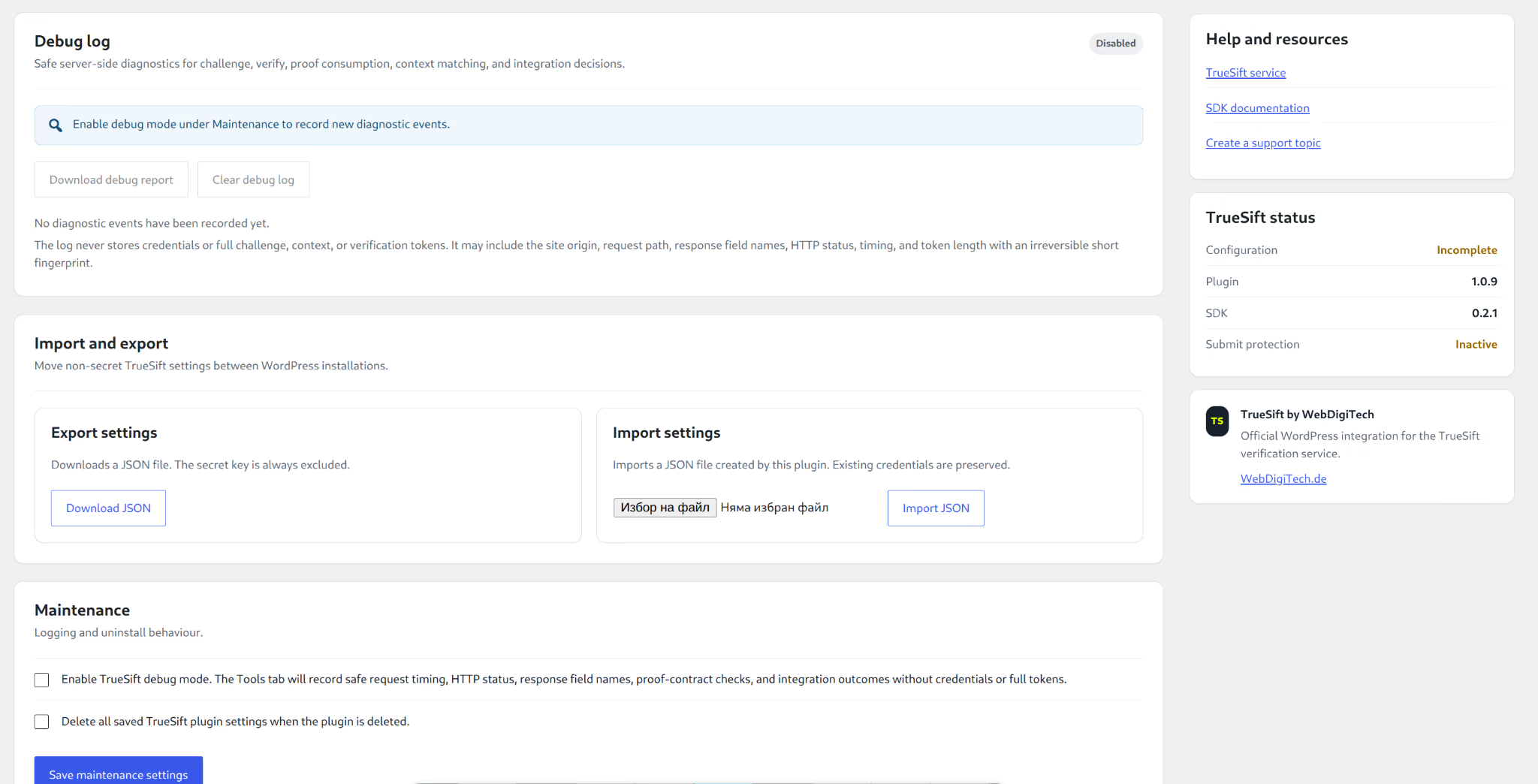
Debug reports, import, export and targeted deletion of plugin settings support traceable maintenance.
You need a WordPress installation plus a TrueSift Site Key and Secret Key. No integration is activated automatically: you decide which actions are protected.
In WordPress, open “Plugins → Add Plugin”, search for TrueSift and install the plugin directly from the official WordPress plugin directory.
Create your TrueSift account, confirm your email address and add your website in the customer area.
Enter the Site Key and Secret Key, save the connection and verify it with the built-in connection test.
Enable the required WordPress, WooCommerce or form actions, then choose the appropriate widget layout.
TrueSift evaluates the interaction in the browser and generates a proof. Login, registration, form submission or checkout are executed only after that proof has been validated server-side. A manipulated frontend therefore cannot simply bypass the authoritative protection decision.
Install TrueSift directly from the official WordPress plugin directory. The direct ZIP download remains available as an alternative installation option.